The product
What actually happens when you use this.
Operato brings signals from the accounts you connect into client context, surfaces what needs attention and prepares recommended actions for your team to review. This page shows how those parts fit together.
Detection
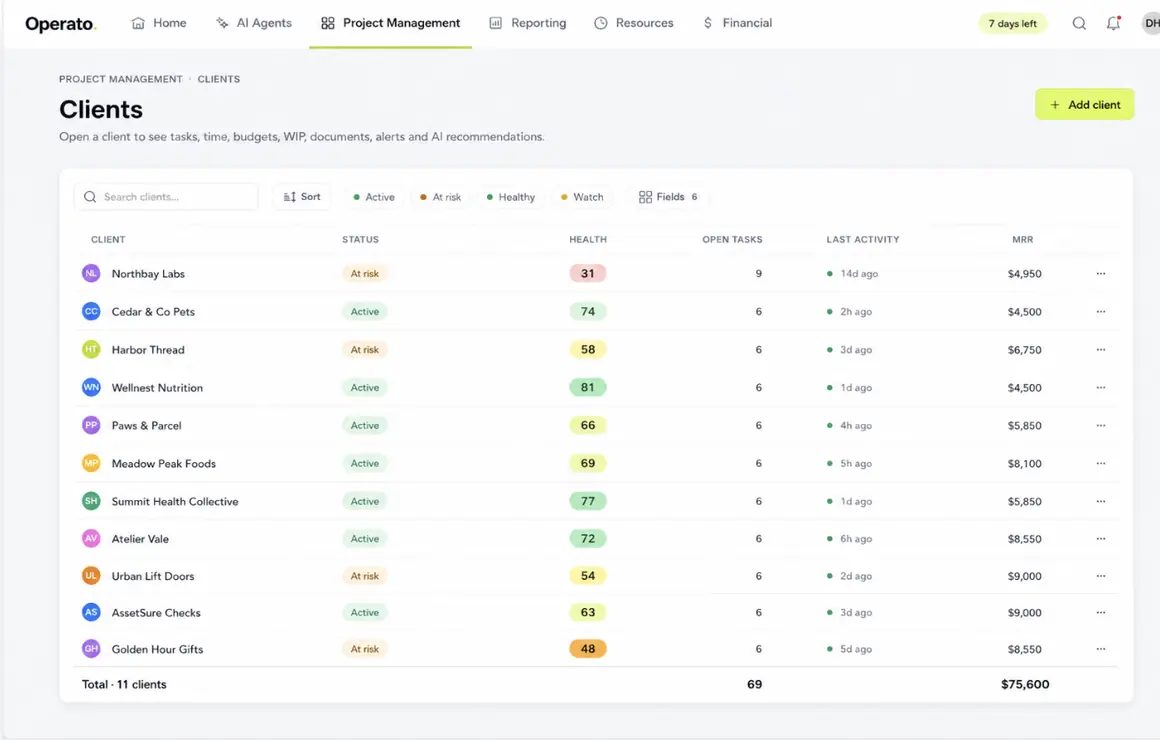
Client Health: one score, and the arithmetic behind it.
Client Health brings performance, budget pacing, delivery and communication signals together so you can see which relationships need attention and why.
The contributing signals are visible, so the score has context rather than acting like a black box.
Data freshness and source context are surfaced alongside the client view.
Incomplete or unavailable data can be shown explicitly instead of implying false certainty.
Colour is never the only carrier. At-risk is a word beside the band, not just a red dot.
The layer
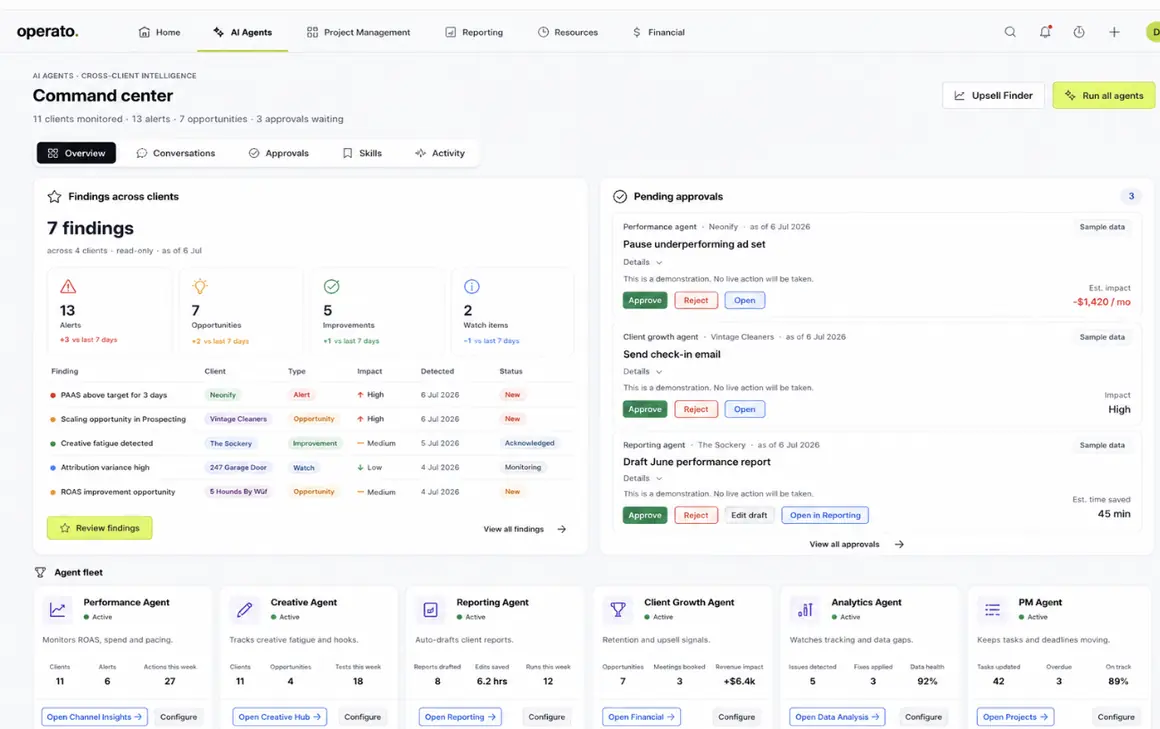
AI Agents: a fleet that watches, drafts, and stops.
AI Agents help analyse connected context, surface issues and prepare recommended actions for your team to review.
Recommended actions stay visible for human review before they are used.
Agent activity and outputs are designed to stay visible rather than disappear into a background process.
Agent recommendations are designed to fit into the operating context your team already uses.
Agents read your client accounts. That raises a fair question about what is stored, who can see it, and what the agents are allowed to do.
How we handle your dataOwnership
Approvals: the gate between a recommendation and a client.
Recommended actions can be reviewed with the context behind them so your team can decide what should happen next.
Human review stays between an AI recommendation and any client-facing action.
The context behind a recommendation stays visible alongside it.
Approved next steps can be carried forward as owned work instead of remaining passive alerts.
The money
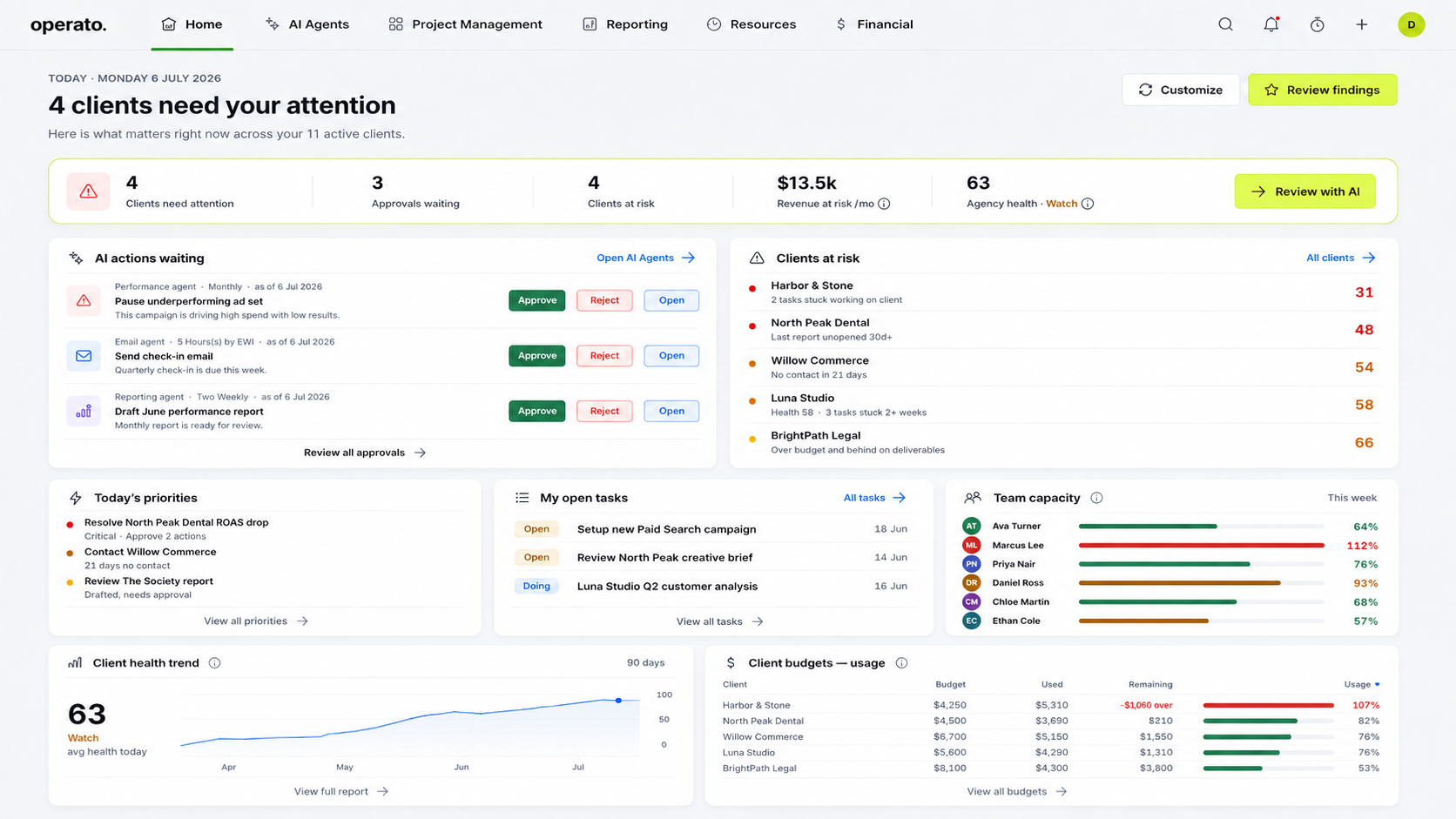
Financial visibility: which retainers are quietly underwater.
What each client is worth, what they cost to service, and how that has moved. Margin per client, pacing against budget, and the retainers that have been losing money for longer than anyone noticed.
Every figure carries its `as of` date and its source.
Underwater retainers are surfaced, not buried in an export.
- Home
- AI Agents
- Project Management
- Reporting
- Resources
- Financial
Financial
Financial
Revenue, profitability, the agency budget and the forecast in one module. Illustrative demo data
$75,600
11 client retainers
$31,360
revenue minus delivery cost
41%
Healthy across all clients
$13,500
demo churn proxy
Integrations
It reads the stack you already run on.
Connect the tools your agency already uses and bring their data into the same operating context.
Facebook and Instagram campaign performance in the operational view.
Campaign performance, spend, and conversion data in client context.
Website and conversion data alongside campaign and client context.
Operato alerts and team communication context in Slack.
Asana projects and tasks alongside delivery tracking.
Invoicing and financial context for client profitability.
Client and contact context from HubSpot.
LinkedIn campaign performance for B2B client context.